

Facebook Ads Retargeting: A Complete Guide for Recovering Lost Customers
Re-engage website visitors and drive conversions with targeted Facebook advertising.
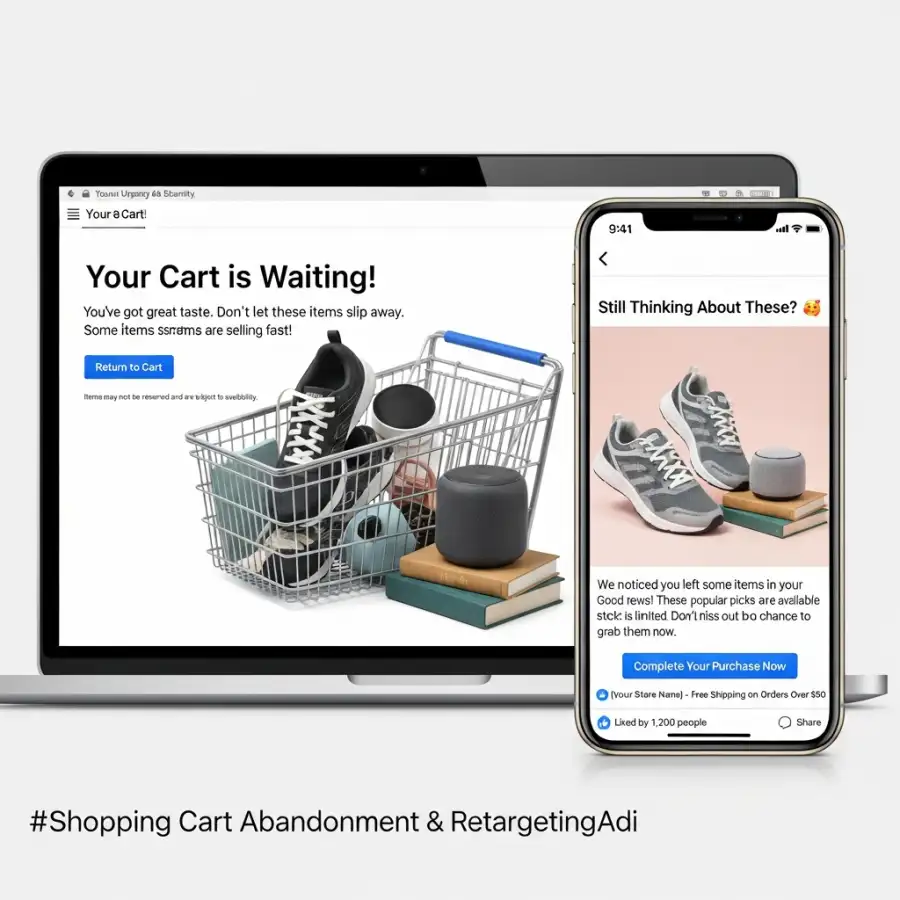
Have you ever wondered what happens to potential customers who leave your website without making a purchase? They're not gone forever, thanks to retargeting.
Retargeting ads on Facebook can be your secret weapon to re-engage these lost leads and turn them into loyal customers.
This guide will walk you through everything you need to know about Facebook Ads retargeting, from the basics to advanced strategies.
In the digital marketing landscape, capturing a user's attention is only half the battle. Many visitors leave websites without converting, whether it's abandoning a shopping cart or simply browsing and moving on. This is where Facebook Ads retargeting comes into play. By strategically targeting these individuals with relevant ads, you can bring them back to your site and increase your chances of conversion. This guide will provide you with the knowledge and techniques to create successful campaigns.
Understanding Facebook Ads retargeting is essential for any business aiming to maximize its online marketing efforts. By following the steps outlined in this guide, you can create and manage effective retargeting campaigns that drive results.
Quick navigation
- What is Facebook Ads Retargeting?
- Why is Retargeting Effective?
- Setting Up Your Facebook Retargeting Ads
- Creating Effective Retargeting Audiences
- Strategies for Different Retargeting Scenarios
- Best Practices for Facebook Retargeting Ads
- What this means for you
- Risks, trade-offs, and blind spots
- Main points
What is Facebook Ads Retargeting?
Facebook Ads retargeting, also known as remarketing, is a powerful advertising technique that allows you to target users who have already interacted with your business. This interaction can take various forms, such as visiting your website, engaging with your Facebook page, watching your videos, or interacting with your Instagram account.
Instead of casting a wide net with generic ads, retargeting focuses on individuals who have already shown an interest in your products or services. This targeted approach significantly increases the likelihood of conversion, as these users are more likely to make a purchase or take the desired action.
In essence, retargeting is about reminding users of your brand and offering them another opportunity to convert. By delivering relevant ads at the right time, you can guide them through the sales funnel and ultimately boost your ROI.
Why is Retargeting Effective?
Retargeting is effective for several key reasons:
Increased Relevance: Retargeting ads are tailored to the user's previous behavior, making them highly relevant and engaging.
Higher Conversion Rates: Users who have already shown interest in your products or services are more likely to convert, leading to higher conversion rates.
Improved Brand Recall: Retargeting helps keep your brand top-of-mind, increasing the likelihood of users returning to your website.
Cost-Effective: Retargeting campaigns often have lower costs per acquisition compared to other advertising methods.
Better ROI: By targeting qualified leads, retargeting campaigns generate a higher return on investment.
Retargeting ads are a powerful tool because they allow businesses to re-engage potential customers who have already shown an interest in their products or services. By focusing on individuals who have previously interacted with your brand, you can increase your chances of conversion and boost your overall ROI.
Setting Up Your Facebook Retargeting Ads
Setting up retargeting ads on Facebook involves a few key steps. First, you need to install the Facebook Pixel on your website. The Facebook Pixel is a piece of code that tracks user actions, such as page views, add-to-carts, and purchases. Once installed, the Pixel sends data to Facebook, allowing you to create custom audiences and track conversions.
Next, create custom audiences. Based on the data collected by the Pixel, you can create audiences of users who have visited specific pages, abandoned their shopping carts, or watched your videos. These audiences will be the targets of your retargeting ads.
Finally, design and launch your ads. Create compelling ads that resonate with your target audiences. Make sure to use high-quality images or videos and include a clear call-to-action.
Here’s a more detailed, step-by-step guide:
- Install the Facebook Pixel:
- Go to your Facebook Ads Manager.
- Click on “Events Manager” then “Pixels”.
- Create a Pixel if you don't already have one.
- Install the Pixel code on all pages of your website.
- Create Custom Audiences:
- In Ads Manager, go to “Audiences”.
- Click “Create Audience” and select “Custom Audience”.
- Choose the source of your audience (e.g., website traffic, video, customer list).
- Set the rules for your audience (e.g., users who visited a specific page).
- Design Your Ads:
- In Ads Manager, click “Create”.
- Choose your campaign objective (e.g., conversions, traffic).
- Select your custom audience.
- Design your ad creative (images, videos, text).
- Include a clear call to action.
Creating Effective Retargeting Audiences
Creating effective retargeting audiences is crucial for the success of your campaigns. The more specific your audience, the more relevant your ads will be. Some key strategies include:
Website Traffic: Target users who have visited specific pages on your website, such as product pages, blog posts, or your contact page.
Video Views: Target users who have watched your videos, allowing you to re-engage with them based on their viewing behavior.
Customer Lists: Upload your customer lists to target existing customers with special offers or promotions.
Engagement on Facebook/Instagram: Target users who have interacted with your Facebook page or Instagram profile.
When creating your audiences, consider the following:
- Audience Segmentation: Divide your audience into segments based on their behavior, such as page views, time spent on site, and add-to-cart events.
- Audience Size: Ensure your audience is large enough to get statistically significant results but not so large that your ads are irrelevant.
- Audience Exclusions: Exclude users who have already converted to avoid showing them ads they don’t need.
Strategies for Different Retargeting Scenarios
Retargeting can be used in a variety of scenarios to maximize its effectiveness. Here are a few examples:
Abandoned Cart Recovery: Target users who added items to their cart but didn't complete the purchase. Offer them a discount or free shipping to encourage them to complete the transaction.
Product View Retargeting: Target users who viewed specific product pages. Show them ads featuring the same products or related items to keep them engaged.
Lead Nurturing: Retarget users who downloaded a lead magnet or visited your pricing page. Provide them with additional information or offers to move them further down the sales funnel.
Upselling and Cross-selling: Target existing customers with ads for complementary products or upgrades based on their previous purchases.
Best Practices for Facebook Retargeting Ads
To maximize the impact of your Facebook retargeting ads, follow these best practices:
- Personalize Your Ads: Use dynamic product ads to show users the exact products they viewed.
- Use High-Quality Creatives: Invest in compelling images and videos that capture attention.
- Create a Strong Call-to-Action: Encourage users to take the desired action with a clear and concise CTA.
- A/B Test Your Ads: Test different ad copy, images, and CTAs to optimize your campaigns.
- Set Frequency Caps: Avoid overexposing your ads by setting frequency caps.
- Monitor Your Performance: Track key metrics like conversion rates and cost per acquisition.
What this means for you
Implementing a Facebook Ads retargeting strategy is a great way to improve your marketing efforts. By focusing on users who have already shown interest in your business, you can increase conversion rates, improve brand recall, and reduce your cost per acquisition. With these strategies you’ll be able to re-engage with your audience.
When you start to harness the power of retargeting, you can expect to see a significant boost in your return on investment. The ability to re-engage with potential customers who have previously shown an interest in your products or services is a game-changer. This approach not only increases conversion rates but also builds stronger customer relationships.
Risks, trade-offs, and blind spots
There are also some potential drawbacks to consider when using Facebook Ads retargeting. One of the main risks is ad fatigue. If users are repeatedly shown the same ads, they can become desensitized and ignore them. It is important to vary your ad creatives and frequency to avoid this.
Another potential trade-off is the cost. While retargeting campaigns can be cost-effective, they may also require significant investment. Furthermore, it's essential to monitor your campaigns closely to ensure they are performing well. Without constant monitoring and optimization, you may not see the results you expect.
Main points
- Facebook Ads retargeting allows you to target users who have previously interacted with your business.
- Retargeting is effective because it targets relevant users and increases conversion rates.
- Set up your retargeting ads by installing the Facebook Pixel, creating custom audiences, and designing compelling ads.
- Create effective retargeting audiences by segmenting users and ensuring your audience is not too broad.
- Use retargeting in a variety of scenarios, such as abandoned cart recovery and lead nurturing.
- Follow best practices like personalizing your ads, using high-quality creatives, and A/B testing.
- Monitor your ad performance regularly to optimize your campaigns.
By implementing these strategies, you can improve your Facebook Ads retargeting campaigns and drive more conversions. Remember to personalize your ads, use high-quality creatives, and monitor your campaign performance for best results. It's time to take control of your advertising efforts and start re-engaging with those who almost became customers.